-Feb-15-2023-02-29-15-7102-PM.png?width=120&height=40&name=Untitled%20design%20(8)-Feb-15-2023-02-29-15-7102-PM.png)
How to request access to a vault as a Recipient
If the Vault Owner passes away or becomes incapacitated, you can request access to their vault through the Casa app.
Steps:
- Open the Casa app and go to the Inheritance tab.
- Select the vault shared with you by the Vault Owner.
- Tap Start Vault Claim.
You do not need to provide a death certificate or proof of death.
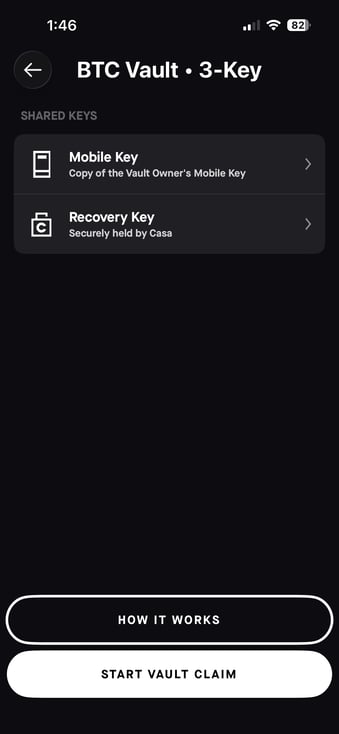
What happens next:
- A 6-month verification period begins.
- If the Vault Owner does not reject your request during that period, you'll receive an email notification confirming that vault access has been granted after the six month period has passed.
- If your request is denied, you'll also be notified by email.
Once access is granted:
You'll be guided through the send flow in the app. You can send funds to any wallet address you choose — a Casa Pay key (available to you as a free Casa customer), your own Casa vault (available to you as a paid Casa customer), or an external address.
- BTC vaults: You can send from the main vault and each sub-account separately.
- ETH vaults: You will be able to send any of the supported tokens supported in the ETH vaults that are present. You'll be directed to send out other supported tokens before sending ETH.
When signing transactions, you'll use your shared key(s) and then request a signature from the Casa Recovery Key. Waiting periods apply:
- 3-key vault: 7 days for the Casa Recovery Key signature.
- 5-key or 6-key vault: 2 days for the Casa Recovery Key signature.
There is no additional verification required to request and use the Casa Recovery Key for Inheritance Recipients. There is no limit on transaction amounts or the number of transactions you can make once access is granted.
Related articles: