-Feb-15-2023-02-29-15-7102-PM.png?width=120&height=40&name=Untitled%20design%20(8)-Feb-15-2023-02-29-15-7102-PM.png)
Steps:
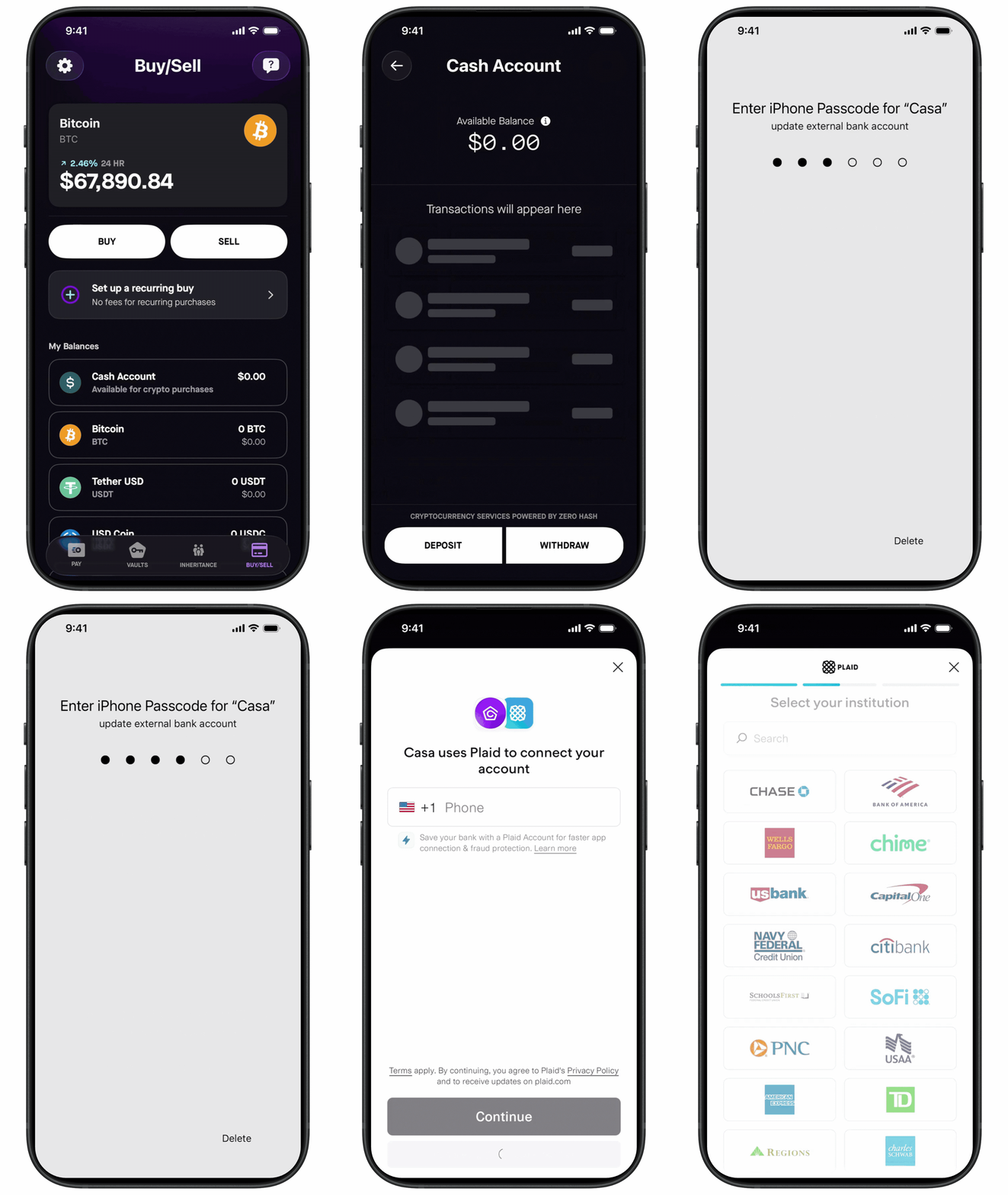
- Open the Casa app and go to the Buy/Sell tab.
- Tap your Cash account, then tap Deposit.
- On the "Deposit From" screen, tap "Connect Bank Account."
- Follow the steps in Plaid to securely find and link your bank.
- On the authorization screen, tap "Agree & Continue" to finalize the connection.
- Your bank account is now linked and ready to use.
Things to know before you link:
- ACH is only available on paid Casa memberships. Free accounts and trial users are not eligible.
- The name on your bank account must match the name on your Zero Hash account exactly.
- You can link up to 3 bank accounts at a time.
- Only checking accounts are supported. Savings, money market, and business accounts may not work.
Related articles: