-Feb-15-2023-02-29-15-7102-PM.png?width=120&height=40&name=Untitled%20design%20(8)-Feb-15-2023-02-29-15-7102-PM.png)
Before you buy, make sure you have cash in your Buy/Sell account. If you haven't deposited yet, see How to deposit cash via ACH or How to deposit cash via wire transfer.
Steps:
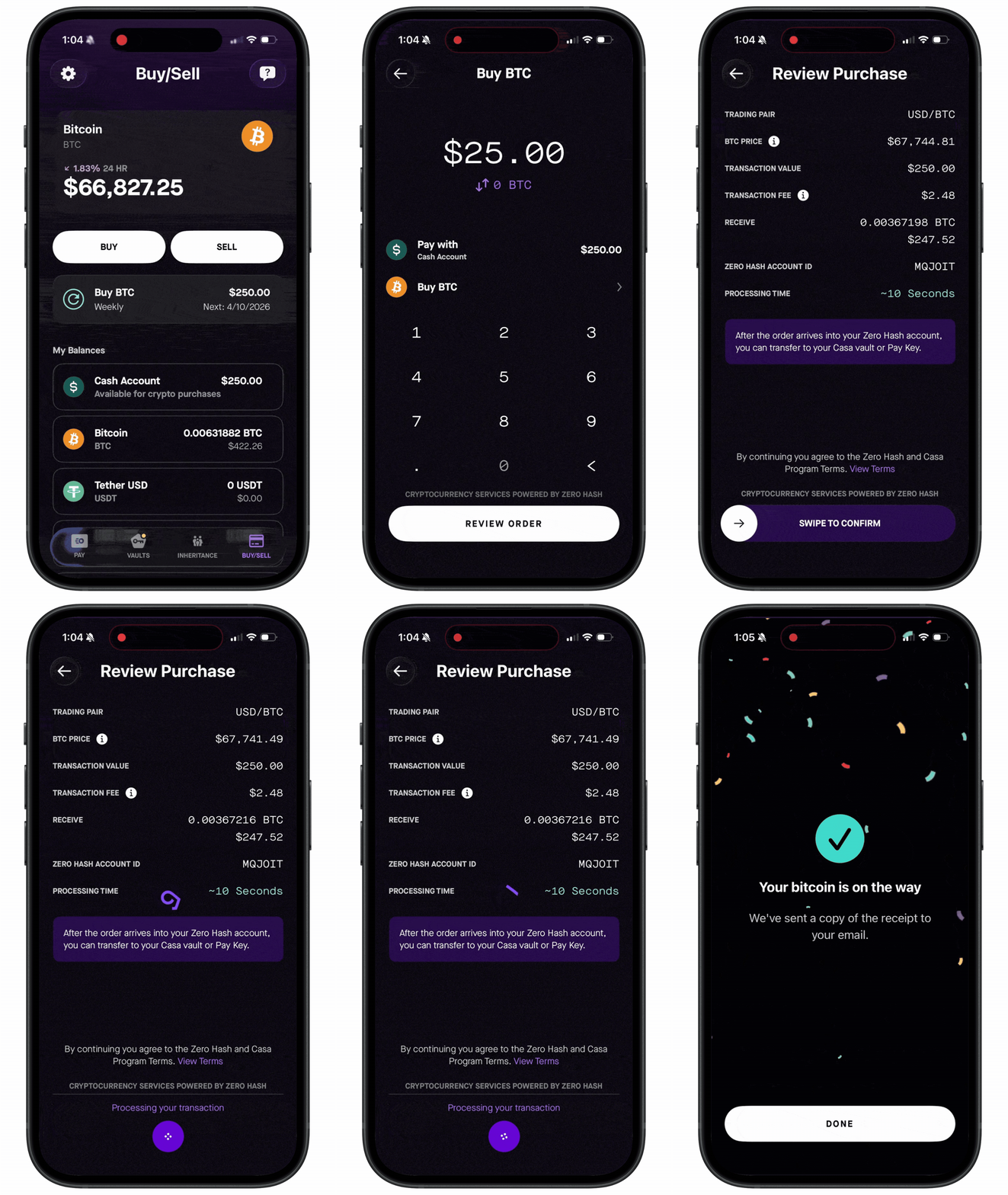
- Go to the Buy/Sell tab and tap "Buy."
- Choose the asset you want to buy. Bitcoin (BTC) is selected by default — you can also buy ETH, USDC, or USDT.
- Enter the amount.
- Tap "Review Order" to confirm the details
- Swipe to confirm your purchase. Most orders are processed instantly.
- You'll receive an email confirmation.
Important: Crypto purchased through “Buy/Sell” remains in your Zero Hash custodial account. For enhanced security, we strongly recommend transferring it to your Casa vault (or pay key) for self-custody protection.
See also: