-Feb-15-2023-02-29-15-7102-PM.png?width=120&height=40&name=Untitled%20design%20(8)-Feb-15-2023-02-29-15-7102-PM.png)
Steps:
- Go to the Buy/Sell tab and open your Cash account.
- Tap "Deposit."
- Select your linked bank account.
- Enter the amount you want to deposit.
- Review the details and swipe to confirm.
Your funds will typically settle within 2 business days. Once settled, you can buy crypto instantly.
Limits:
- Minimum: $20 per transfer
- Maximum: $10,000 per transfer
- Up to 3 deposits per week (Monday to Monday), with a maximum of 2 transfers active at a time
Fees: $1.13 per ACH transfer, waived on transfers of $250 or more.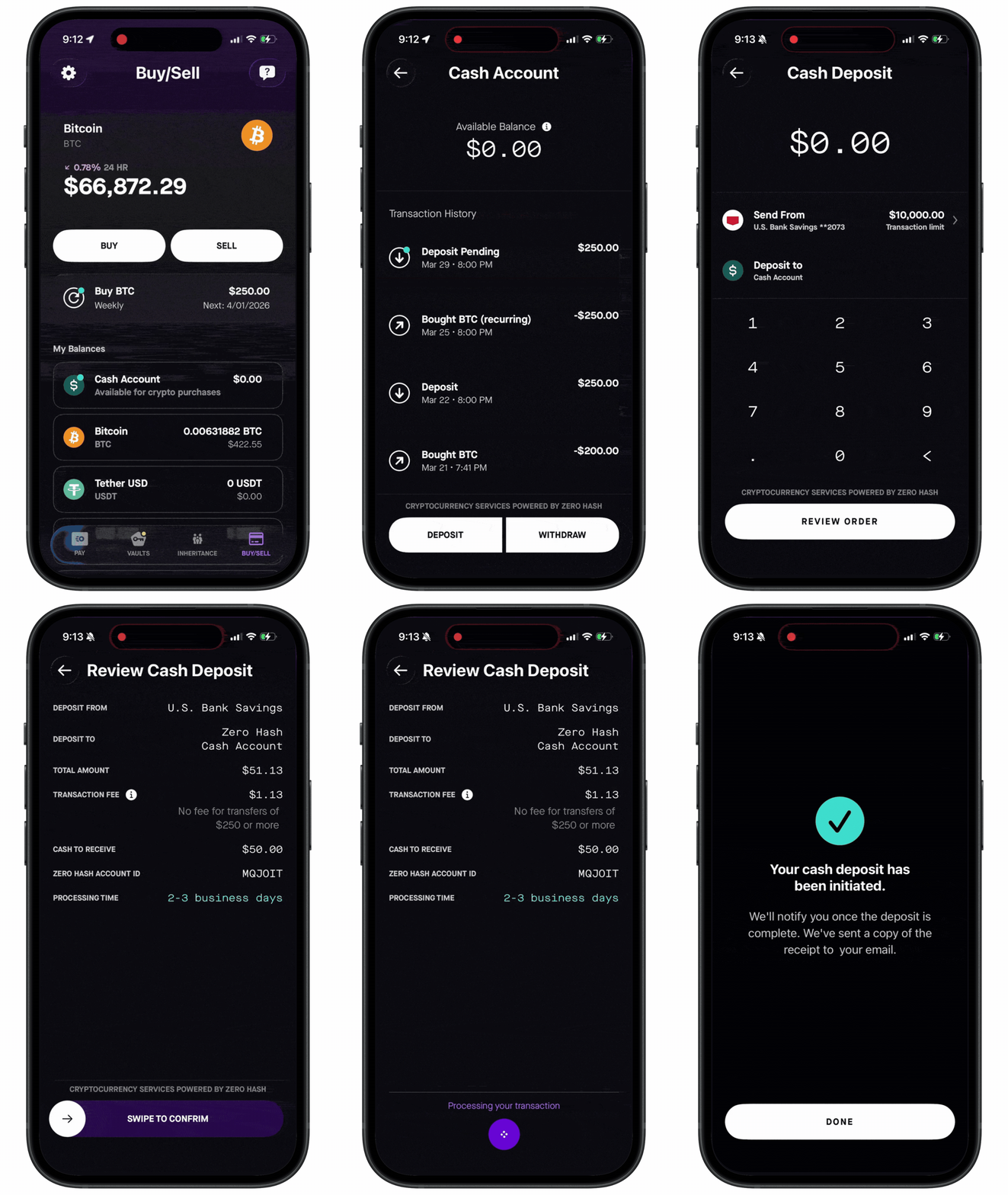
See also: