-Feb-15-2023-02-29-15-7102-PM.png?width=120&height=40&name=Untitled%20design%20(8)-Feb-15-2023-02-29-15-7102-PM.png)
TL;DR — A health check verifies that your Keystone hardware key is accessible and ready to sign (authorize) a transaction. It uses a QR code exchange between the Casa app and your Keystone device and does not move any bitcoin from your vault. The process takes around 5 minutes.
What you'll need
- Your Keystone device, powered on
- The Casa app on your phone
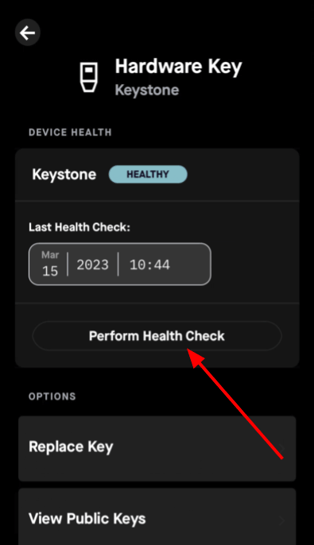
Start the Health check in the Casa app
- Sign into the Casa app
- Tap your vault
- Tap the key icon (top-right corner)
- Tap the hardware key
- Tap "Perform Health Check."
Scan the QR code from your Keystone device
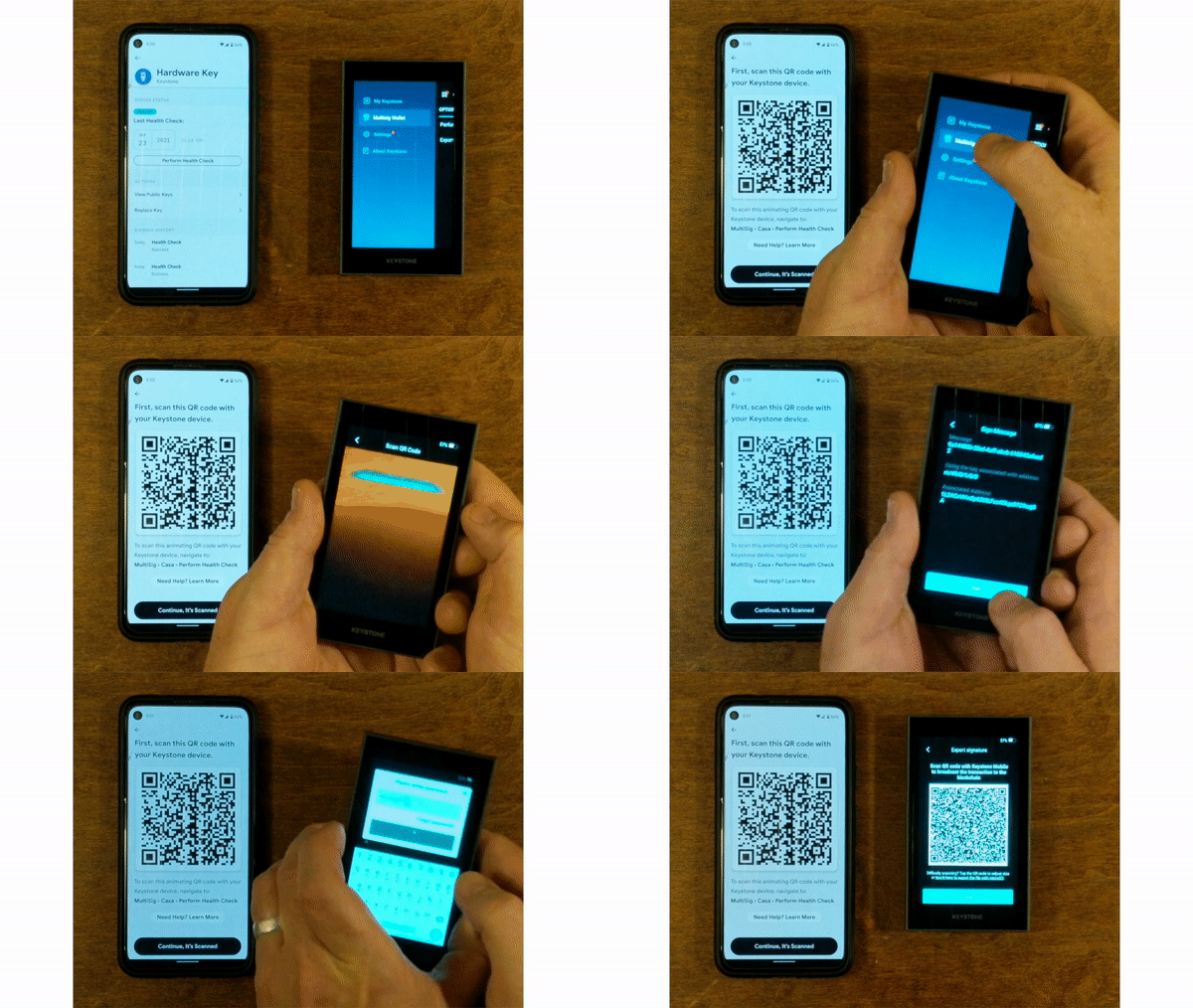
On your Keystone device, open the main sidebar menu on the left and select Multisig Wallet, then select Perform Health Check.
On the next screen, tap the scanner icon in the top right-hand corner to open your Keystone's camera. Scan the QR code shown in the Casa app.
Enter your Keystone password when prompted to confirm the signature.
Scan the Keystone QR code from the Casa app
After your Keystone device processes the health check, it will display a QR code on its screen.
Using the Casa app on your mobile phone, scan the QR code shown on your Keystone device to complete the health check.
.gif?width=600&height=338&name=ezgif.com-gif-maker%20(1).gif)
The Casa app will confirm that your Keystone hardware key has passed the health check and is ready to sign transactions. Casa recommends running a health check on each hardware key in your vault every six months.
That's it! You've now performed a health check with your Keystone device. Now, you can rest assured knowing that it's standing by and ready to sign a transaction when needed.
Still need help?
If you have followed these steps and are still experiencing an issue:
-
Standard members: email help@team.casa with a description of the problem. Include a screenshot of any error message if possible.
-
Premium and Private Client members: contact your Client Advisor directly.