
From the Casa app home screen, start by tapping the 5-key vault or 3-key vault that you would like to make changes to. On the next screen, click on the "key icon" in the upper right hand corner of the vault to display your list of keys.
**Please note that the Mobile Key and Casa Recovery Key cannot be renamed.
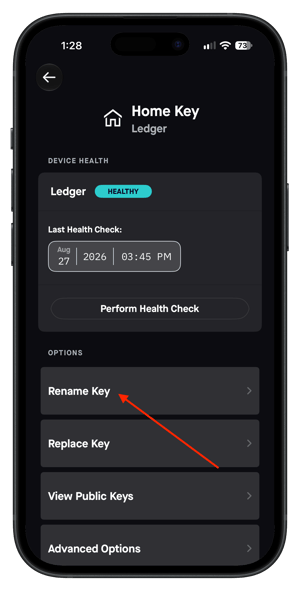
Click on "Signing Key" when in a 3-Key vault or click on the Home, Office or Safe Keys when in a 5-Key vault. On the next screen, you will be given the option to "Rename Key".
On the following screen, you will be given the option to enter the name of your choice for that key up to 18 characters:
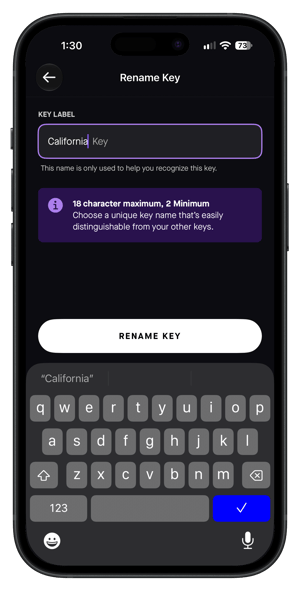
Confirm the name by clicking on the "Rename Key" option and you are all set!